
pro 5000 installation manual
Honeywell FocusPRO 5000 Installation Manual: Overview
This manual details the installation process for the Honeywell FocusPRO 5000 Series Non-Programmable Digital Thermostat, covering wallplate mounting, wiring, and initial setup procedures.
It provides guidance for both conventional and heat pump systems, alongside troubleshooting steps and technical specifications for optimal performance and user experience.
The Honeywell FocusPRO 5000 Series represents a reliable and user-friendly solution for residential temperature control. This non-programmable digital thermostat offers straightforward operation, making it ideal for homeowners seeking comfort without complex scheduling features.

Designed for easy installation, the FocusPRO 5000 simplifies the process of upgrading or replacing existing thermostats. The series caters to both conventional heating and cooling systems, as well as heat pump configurations, ensuring broad compatibility.
This manual provides comprehensive instructions for wallplate installation, detailed wiring diagrams, and guidance on initial power-up and operation. It also includes a troubleshooting section to address common issues, such as the flashing “REPLACE BATTERY” warning, and outlines the technical specifications for the FocusPRO 5000 Series.
Installation should be performed by a qualified technician.
Safety Precautions & Warnings
Prior to installing the Honeywell FocusPRO 5000 thermostat, it is crucial to observe all safety precautions to prevent electrical shock, fire hazard, or equipment damage. Always disconnect power to the heating and cooling system at the breaker box or fuse before commencing any wiring or installation procedures.
CAUTION: ELECTRICAL HAZARD! Installation must be performed by a qualified and experienced technician. Improper wiring can lead to dangerous conditions. Ensure all connections are secure and comply with local electrical codes.
Dispose of electronic waste responsibly, following local regulations. Do not attempt to repair the thermostat yourself; contact a qualified service professional for assistance. Use only AA alkaline batteries as specified. Failure to adhere to these warnings may void the warranty and create unsafe operating conditions.

Wallplate Installation
Begin by removing the wallplate from the thermostat base, then securely mount it to either drywall or plaster using appropriate screws and anchors as needed.
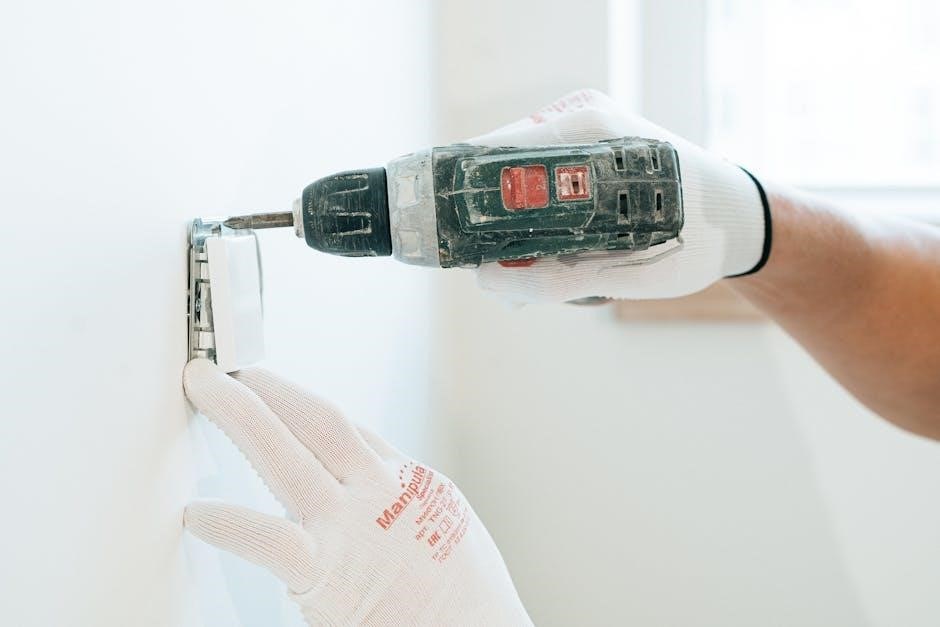
Removing the Wallplate
To begin the installation process, carefully remove the existing wallplate from the thermostat. First, detach the battery holder to ensure no power is flowing during removal.
Next, locate the designated release point – typically a tab or latch – and gently pull the wallplate away from the thermostat base.
If the thermostat is newly installed with AC power, a specific release mechanism may be present; ensure this is disengaged before attempting removal.
Caution should be exercised to avoid damaging the wiring or the wallplate itself. Once detached, you are prepared to mount the new wallplate according to the surface type – drywall or plaster – as detailed in the following sections.
Mounting the Wallplate ⎯ Drywall
When mounting the FocusPRO 5000 wallplate to drywall, precise drilling is essential for a secure installation. Utilize a 3/16-inch drill bit to create appropriately sized holes for mounting screws.
Position the wallplate against the drywall, ensuring it is level and aligned with the desired location. Mark the screw hole positions through the wallplate’s mounting holes.
Carefully drill pilot holes at the marked locations. Avoid excessive force to prevent damage to the drywall.
Insert drywall anchors into the drilled holes, if necessary, to provide additional support. Align the wallplate with the anchors and secure it using the provided screws. Ensure the wallplate is firmly attached and does not wobble.
Mounting the Wallplate ─ Plaster
Mounting the FocusPRO 5000 wallplate to plaster requires careful consideration due to the material’s brittle nature. Employ a 7/32-inch drill bit to create pilot holes, minimizing the risk of cracking or chipping the plaster.
Position the wallplate and mark the screw hole locations. Drill slowly and steadily, applying gentle pressure. Avoid rapid drilling, which can cause significant damage.
Utilize plaster anchors or toggle bolts to provide robust support, as plaster alone may not adequately hold the screws. Insert the anchors into the drilled holes.
Align the wallplate with the anchors and secure it with the provided screws. Ensure a snug fit, but avoid over-tightening, which could fracture the plaster. Verify the wallplate is stable and level.
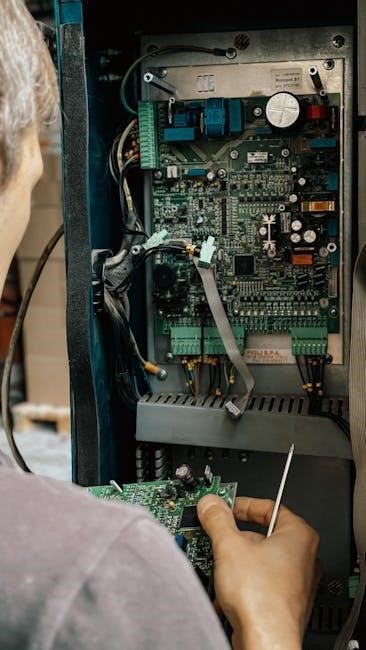
Wiring the Thermostat
Proper wiring is crucial for correct operation. This section details connecting the FocusPRO 5000 to conventional and heat pump systems, ensuring safe and reliable functionality.
Wiring Conventional Systems
For conventional systems, carefully follow these wiring instructions. Begin by removing power to the HVAC system at the breaker box to prevent electrical hazards. Identify the existing wiring connected to your old thermostat. Typically, you’ll encounter terminals for Rh (heating power), Rc (cooling power), W (heating), Y (cooling), and G (fan).
Connect the corresponding wires from your system to the appropriately labeled terminals on the FocusPRO 5000 wallplate. Ensure wires are securely fastened. If a common wire (C) is present, connect it to the ‘C’ terminal; otherwise, the thermostat can often operate without it using power stealing technology. Double-check all connections before restoring power, verifying correct placement for optimal system control and preventing potential damage.
Wiring Heat Pump Systems
Wiring a heat pump system with the FocusPRO 5000 requires careful attention to terminal designations. As with conventional systems, disconnect power at the breaker before starting. Heat pump wiring typically includes Rh (heating power), Rc (cooling power), Y (compressor), W1 (auxiliary/emergency heat), W2 (second-stage heat), and G (fan).
Connect these wires to the corresponding terminals on the wallplate, ensuring secure connections. A common wire (C) is often required for heat pump systems to provide consistent power. If your system lacks a C wire, professional installation is recommended. Verify all connections meticulously before restoring power, as incorrect wiring can damage the heat pump or thermostat. Proper wiring ensures efficient heating and cooling operation.

Power Options & Battery Installation
The Honeywell FocusPRO 5000 thermostat offers flexible power options, including battery power and optional 24VAC power. For battery operation, install two AA alkaline batteries into the battery holder, observing correct polarity. The thermostat will display a “REPLACE BATTERY” warning when battery power is low.
Alternatively, you can power the thermostat using 24VAC from the heating/cooling system. When using 24VAC, remove the batteries to prevent interference. Ensure the system’s power supply meets the thermostat’s voltage requirements. Proper battery installation or 24VAC connection is crucial for reliable operation. Always prioritize safety and disconnect power before handling wiring.

Thermostat Mounting & Operation
Securely attach the thermostat to the installed wallplate, ensuring a snug fit. Upon initial power-up, the display will illuminate, initiating the thermostat’s operational sequence.
Attaching the Thermostat to the Wallplate
Carefully align the thermostat with the mounted wallplate, ensuring the terminals and wiring connections are correctly positioned. Gently push the thermostat onto the wallplate until it clicks securely into place. Verify a firm and stable attachment, preventing any looseness or disconnection.
Before proceeding, double-check that all wiring remains properly connected and that no wires are pinched or strained during the mounting process. A secure attachment is crucial for reliable operation and prevents potential electrical hazards.
If the thermostat doesn’t easily snap onto the wallplate, re-examine the alignment and wiring connections. Do not force the thermostat, as this could damage the terminals or wiring. Ensure the battery holder is correctly positioned before final attachment.
Initial Power-Up and Display
Upon attaching the thermostat and providing power, the display should illuminate, initiating the startup sequence. Initially, the display may show a flashing “REPLACE BATTERY” warning, even with new batteries installed – this is normal and will resolve shortly.
Allow a few moments for the thermostat to complete its self-test and calibrate. The display will then present the current room temperature and the setpoint temperature. Verify that the displayed temperature is reasonable and corresponds to the actual room temperature.
Familiarize yourself with the display icons and their meanings, as outlined in the user guide. If the display remains blank or shows error messages, consult the troubleshooting section of this manual for assistance.

Troubleshooting & Common Issues
This section addresses frequent problems, like the flashing “REPLACE BATTERY” warning, and offers simple solutions for quick correction of most issues encountered during operation.
Addressing the Flashing “REPLACE BATTERY” Warning
A flashing “REPLACE BATTERY” warning indicates low battery power, even if the thermostat appears to be functioning normally. This is a crucial signal requiring immediate attention to ensure uninterrupted operation of your heating and cooling system.

The FocusPRO 5000 utilizes AA alkaline batteries as a power source, or can be powered by 24VAC. To resolve this warning, replace both AA alkaline batteries with fresh ones. Ensure correct polarity during installation.
If the warning persists after battery replacement, verify the thermostat is securely attached to the wallplate, establishing a proper electrical connection. If using 24VAC, confirm the power supply is functioning correctly. Ignoring this warning may lead to thermostat malfunction and system downtime.
General Troubleshooting Steps
If you encounter issues with your Honeywell FocusPRO 5000 thermostat, several simple steps can often resolve the problem quickly. First, ensure the thermostat is securely mounted to the wallplate, guaranteeing a solid electrical connection.
Verify the correct wiring configuration for your specific heating and cooling system – conventional or heat pump. Double-check that all wires are firmly connected to the appropriate terminals. If the display is blank, confirm the batteries are fresh and correctly installed, or that 24VAC power is present.
Most problems can be corrected easily. Consult the wiring diagrams in this manual and review the system compatibility section. If issues persist, contact a qualified HVAC technician for assistance.
Technical Specifications
The FocusPRO 5000 Series operates on 24VAC and requires AA alkaline batteries for backup. It’s designed for compatibility with standard heating and cooling systems, offering reliable performance.
FocusPRO 5000 Series Specifications
The Honeywell FocusPRO 5000 Series Non-Programmable Digital Thermostat is engineered for straightforward operation and broad system compatibility. It functions on a standard 24VAC power source, ensuring reliable performance in most residential environments.
Battery backup is provided by two AA alkaline batteries, safeguarding settings during power outages and triggering a “REPLACE BATTERY” warning when needed. The thermostat supports various system types, including conventional heating and cooling, as well as heat pump configurations.
While specific temperature control ranges vary based on the connected HVAC system, the FocusPRO 5000 offers accurate and consistent temperature management. It’s designed for easy installation and user-friendly operation, making it a suitable choice for both homeowners and installers. Detailed specifications regarding wiring configurations and system compatibility are available in the complete installation guide.
Compatibility & System Requirements
The Honeywell FocusPRO 5000 Series thermostat demonstrates broad compatibility with most 24VAC heating and cooling systems commonly found in residential settings. It effectively supports conventional systems – including gas, oil, and electric furnaces – alongside heat pump configurations.
However, it’s crucial to verify system voltage before installation. The thermostat requires a stable 24VAC power supply for optimal operation. While designed for ease of integration, compatibility with proprietary or highly specialized HVAC systems cannot be guaranteed.
Professional installation is recommended to ensure correct wiring and system configuration. The thermostat is not intended for use with line voltage systems. Always consult the complete installation manual and a qualified HVAC technician to confirm compatibility and address any specific system requirements before proceeding.