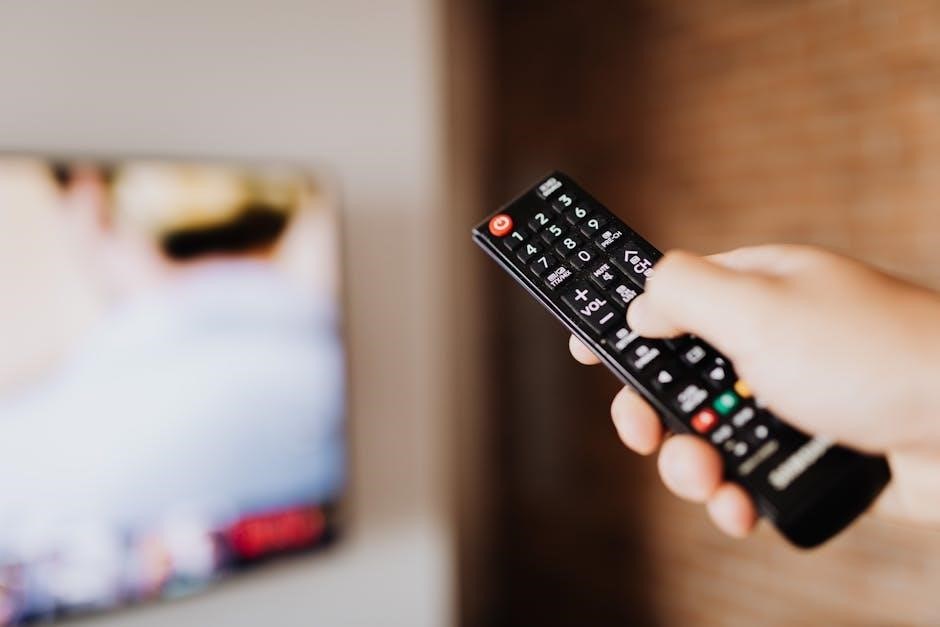
levolor remote control guide
LeVolor Remote Control Guide: A Comprehensive Overview (12/16/2025)
This guide details LeVolor remote setup, programming, and troubleshooting, covering both 6-channel premium and 3-channel basic remotes, alongside InMotion app integration for seamless control.
LeVolor remote controls are designed for effortless operation of your motorized window shades, offering convenience and precision at your fingertips. These remotes, available in both 6-channel premium and 3-channel basic models, provide a user-friendly interface for managing multiple shades or individual settings.
Proper programming is key to unlocking the full potential of your LeVolor system. The remote allows for customized control, including setting limits, saving favorite positions, and integrating with the LEVOLOR InMotion app for smartphone control. Understanding the remote’s components and functionality, like the programming button and standard battery pack, is crucial for a smooth experience.

This guide will walk you through the initial setup, pairing process (including the “Jog and Beep” method), and detailed programming steps. We’ll also address common issues and provide advanced tips to maximize your LeVolor experience.
Types of LeVolor Remote Controls
LeVolor offers two primary remote control options to suit varying needs: the 6-Channel Premium Remote and the 3-Channel Basic Remote. The 6-Channel Premium Remote provides extensive control, allowing users to manage up to six independent shades or groups of shades with customized settings and programming capabilities.
This premium model excels in larger homes or those desiring granular control over each window treatment. Conversely, the 3-Channel Basic Remote is ideal for simpler setups, offering control over three shades or zones.
Both remotes require initial setup and programming to function correctly, but the premium version unlocks advanced features like favorite position programming and more detailed limit setting options. Choosing the right remote depends on the scale and complexity of your LeVolor shade system.
6-Channel Premium Remotes
The LeVolor 6-Channel Premium Remote is designed for comprehensive control of motorized window treatments, offering advanced features and customization options. This remote allows independent operation of up to six shades or groups, enabling tailored lighting and privacy throughout your home.
Key functionalities include precise limit setting adjustments, ensuring shades stop at desired positions, and the ability to program favorite positions for instant recall. The programming button facilitates easy pairing with shades, utilizing the “jog and beep” method for confirmation.
Users can leverage the InMotion app for expanded control, integrating the remote with a hub for smartphone operation. This premium remote is ideal for larger installations and those seeking maximum convenience and personalization.
3-Channel Basic Remotes
The LeVolor 3-Channel Basic Remote provides a streamlined solution for controlling motorized shades, offering essential functionality in a user-friendly design. This remote is perfect for smaller installations or users prioritizing simplicity, allowing control of up to three individual shades or groups.
While offering fewer features than the premium version, the basic remote still enables precise limit setting and programming capabilities. The programming process utilizes the same “jog and beep” method for easy pairing with compatible shades.
It’s a cost-effective option for those seeking reliable shade control without the need for advanced customization. Integration with the InMotion app is possible through a hub, extending control to smartphones.
Understanding Remote Control Components
LeVolor remotes, whether premium or basic, share core components crucial for operation and customization. The programming button is central, initiating the pairing process with shades and enabling channel assignment. Understanding its function is key to successful setup.
All LeVolor motorized systems rely on a standard battery pack for power. Maintaining optimal battery levels is vital for consistent performance; diminished power can lead to responsiveness issues. The remote’s buttons control shade movement – up, down, and stop – with variations depending on the model.
Familiarizing yourself with these components, and their interplay, ensures a smooth user experience and facilitates effective troubleshooting when needed.
Programming Button Functionality
The programming button on your LeVolor remote is the gateway to personalized shade control. Holding this button initiates the pairing process, allowing the remote to communicate with individual shades. It’s essential during initial setup and when adding new shades to your system.
During programming, the shade will typically “jog” – move slightly – or emit a series of beeps to confirm successful pairing. This visual and auditory feedback indicates the remote is communicating effectively. The button is also used to assign shades to specific channels, enabling independent control.
Proper use of the programming button unlocks the full potential of your LeVolor system, ensuring seamless operation and customized convenience.
Standard Battery Pack Information
LeVolor motorized systems utilize a standard battery pack as their primary power source. These packs are designed to deliver reliable performance, ensuring consistent operation of your shades. Understanding battery specifications is crucial for maintaining optimal functionality.
The battery pack’s lifespan varies depending on usage frequency and environmental factors. Regularly checking battery levels is recommended to prevent unexpected interruptions. When replacing batteries, always use the specified type to avoid damaging the remote or shades.
Proper battery maintenance extends the life of your LeVolor system and guarantees uninterrupted control over your window coverings, contributing to a seamless smart home experience.

Setting Up Your LeVolor Remote
Initial setup involves remote preparation and pairing to your shades, utilizing methods like the “Jog and Beep” technique for successful synchronization.
Initial Remote Preparation
Before pairing, ensure your LeVolor remote is ready for operation. This begins with inserting the standard battery pack, the power source for the motorized system. Verify the batteries are correctly installed, observing proper polarity. It’s crucial to understand the programming button’s dual role – it’s used both for initial setup and subsequent programming adjustments;
Familiarize yourself with the remote’s layout and button functions. A fully programmed remote enhances convenience, especially during power outages. Having at least one remote per household is recommended for comprehensive control. Remember to consult LEVOLOR.com/InMotionSupport for additional information and detailed guidance throughout the preparation process, ensuring a smooth and successful setup experience.
Pairing the Remote to Your Shades
Successfully pairing your LeVolor remote to your shades is a fundamental step for operation. The “Jog and Beep” method is commonly used for this process. Begin by pressing the programming button on the remote. Then, activate the shade you wish to pair by pressing the “up” or “down” button on the remote until the shade jogs – meaning it moves slightly – twice, or emits three beeps.
This indicates the shade is in pairing mode and ready to connect to a specific channel on your remote. Repeat this process for each shade, assigning them to desired channels. Refer to the LEVOLOR InMotion app if you’ve purchased a hub for streamlined control and pairing options.
The Jog and Beep Method
The Jog and Beep method is a reliable technique for pairing your LeVolor shades with the remote control. Initiate the process by pressing and holding the programming button on your remote. Subsequently, activate a specific shade by briefly pressing either the “up” or “down” control on the remote. Observe the shade carefully; it should “jog,” meaning execute a small movement, twice;
Alternatively, the shade may emit three distinct beeps, signaling it has entered pairing mode. This auditory or visual cue confirms readiness for channel assignment. Repeat this procedure for each shade, ensuring each is linked to its intended channel for independent operation.
Programming the Remote: Step-by-Step Guide
Successfully programming your LeVolor remote unlocks personalized control over your shades. Begin by ensuring the remote has fresh batteries and is within range of the shades. Initiate programming mode by pressing and holding the programming button until a response is observed. Next, select the desired channel for a specific shade. Activate the shade using the up or down controls, observing for the “jog” or beep confirmation of pairing.
Repeat this process for each shade, assigning each to a unique channel. Remember to save limit settings and program favorite positions for ultimate convenience. Refer to LEVOLOR.com/InMotionSupport for detailed visual guidance.
Channel Selection and Assignment
Proper channel selection is crucial for individual shade control. LeVolor remotes, particularly the 6-channel premium models, allow assigning each shade to a dedicated channel. Begin by identifying the shade you wish to program. Then, press and hold the channel button you want to assign to that shade. Simultaneously, initiate the shade’s movement – either up or down – until it “jogs” twice or beeps three times, confirming the pairing.
Repeat this process for each shade, ensuring each receives a unique channel assignment. This allows independent operation, enhancing convenience and customization within your home.
Saving Limit Settings
Precisely defining your shades’ travel limits ensures optimal operation and prevents overextension. To save limit settings, first, fully raise or lower the shade to your desired endpoint using the remote. Then, press and hold the programming button while simultaneously briefly pressing the up or down button. The shade will “jog” to confirm the saved limit.
Repeat this process for both the upper and lower limits of each shade. Accurate limit settings are vital for smooth, reliable performance and protect your shades from potential damage. Refer to the LeVolor InMotion support resources for detailed visual guidance.
Favorite Position Programming
The Favorite Position programming feature allows you to instantly recall a preferred shade position with a single button press, enhancing convenience and personalization. To program a favorite position, first, position the shade exactly as desired. Then, press and hold the ‘Favorite’ button on the remote until the shade jogs slightly, confirming the setting.
This programmed position is now stored and can be activated anytime by pressing the ‘Favorite’ button. You can program different favorite positions for each channel, tailoring the ambiance to your specific needs. Explore the LeVolor InMotion app for expanded control options and customized scene creation.

Using the LeVolor InMotion App
The InMotion app, paired with a hub, offers smartphone control of your LeVolor shades, expanding functionality beyond the traditional remote experience.
Downloading and Installing the App
To begin utilizing the full potential of your LeVolor motorized shades, downloading and installing the InMotion app is a crucial first step. The app is readily available for both iOS and Android devices. Simply navigate to the App Store (for Apple devices) or the Google Play Store (for Android devices) and search for “LeVolor InMotion.”
Once located, tap the “Install” button and allow the app to download and install onto your smartphone or tablet. The installation process typically takes only a few moments, depending on your internet connection speed. After installation is complete, tap the “Open” button to launch the app. You will then be prompted to create an account or log in if you already have one. Ensure you grant the app the necessary permissions to function correctly, such as Bluetooth access for remote pairing and hub communication.
Hub Integration and Control
The LeVolor InMotion hub serves as the central connection point for enhanced control and automation of your motorized shades. If you’ve purchased a hub, integration with the InMotion app unlocks advanced features like remote access and scheduling. Begin by physically connecting the hub to your home’s Wi-Fi network, following the on-screen instructions within the app.
Once connected, the app will automatically detect the hub. Through the hub, you can control your shades from anywhere with an internet connection. The app allows for grouping shades, creating custom scenes, and setting schedules for automated operation. This provides a convenient and energy-efficient way to manage your window coverings, even when you’re away from home.
Remote Control via Smartphone
Leveraging the LeVolor InMotion app transforms your smartphone into a powerful remote control for your motorized shades. After successful hub integration, the app mirrors all the functionalities of your physical remote, offering convenient control from anywhere within Wi-Fi range or via internet connectivity.
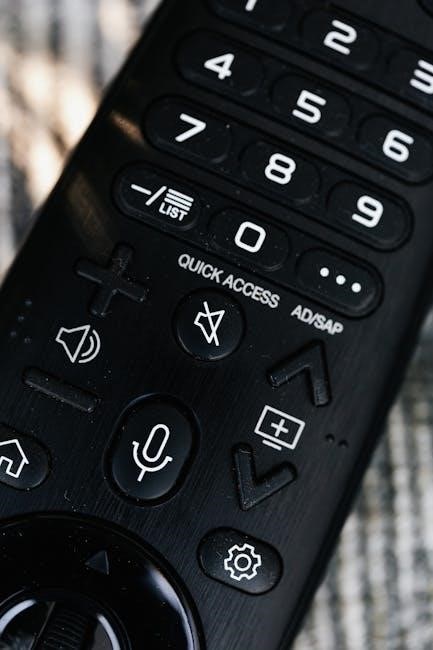
The app’s intuitive interface allows for individual shade control, group adjustments, and the creation of personalized scenes. You can effortlessly open, close, or adjust shades to your desired position with a simple tap. Furthermore, the app enables scheduling, allowing you to automate shade operation based on time of day or specific events, enhancing comfort and energy efficiency.

Troubleshooting Common Issues
This section addresses frequent problems like unresponsive remotes, programming difficulties, shade movement issues, and interference, providing solutions for optimal LeVolor control.
Remote Not Responding
If your LeVolor remote isn’t responding, begin with the simplest checks. First, verify the batteries are fresh and correctly installed, ensuring proper polarity. A weak battery is a common culprit.
Next, confirm there are no obstructions between the remote and the shades’ receiver. Distance and physical barriers can interfere with the signal. Try moving closer to the shades.
If the issue persists, attempt a remote reset. Consult the LeVolor support website for specific reset instructions for your remote model.
Finally, ensure the shades themselves have power. A power outage or disconnected power supply will prevent any response.
Difficulty Programming the Remote
Encountering trouble programming your LeVolor remote? Start by double-checking battery levels; low power can interrupt the programming sequence. Ensure you’re within close proximity to the shades during the pairing process.
Remember to use the “Jog and Beep” method – pressing the programming button until the shade jogs twice or beeps three times – to confirm successful channel assignment.
If programming fails repeatedly, try resetting the remote to its factory settings. Refer to LeVolor’s online support for model-specific reset procedures.
Confirm you are properly programming your new remote, and visit the LeVolor website for additional information.
Checking Battery Levels
Low battery power is a frequent cause of remote programming and operational issues. The standard battery pack powers the LeVolor motorized system, and its condition directly impacts performance.
To check battery levels, remove the battery compartment cover and inspect the batteries for corrosion or damage. Replace batteries if they appear weak, old, or show any signs of leakage.
Always use fresh, high-quality batteries of the correct type as specified in the remote’s documentation. Insufficient power can prevent the remote from transmitting a signal, hindering programming and shade control.
Ensure proper battery polarity during installation for optimal functionality.
Resetting the Remote
If your LeVolor remote continues to malfunction after checking the batteries, a reset may be necessary to restore functionality. Resetting clears any existing programming and returns the remote to its factory default settings.
The specific reset procedure can vary depending on the remote model. Typically, it involves pressing and holding a combination of buttons – often the programming button – for an extended period.
Consult the LeVolor website support resources or your remote’s manual for the precise reset instructions for your specific device.
After resetting, you will need to re-pair and re-program the remote to your shades.
Shades Not Moving Correctly
If your LeVolor shades aren’t responding as expected, several factors could be at play. First, verify the remote is properly paired with the shades and that the correct channel is selected. Ensure limit settings are accurately programmed; incorrect limits can prevent full operation.
Check for physical obstructions blocking the shade’s path. A power outage, even brief, might require re-pairing the remote. If multiple shades are affected, consider potential interference from other devices.
Confirm the hub (if used) is functioning correctly and has a stable connection.
Review saved favorite positions to ensure they haven’t been inadvertently altered.
Interference Issues and Solutions
Wireless interference can sometimes disrupt LeVolor remote control signals. Common culprits include other wireless devices operating on similar frequencies, such as Wi-Fi routers, Bluetooth devices, and even some lighting systems. To mitigate this, try repositioning your Wi-Fi router or other potential sources of interference further away from the shades and the remote.
Ensure there are minimal obstructions between the remote and the shades’ receiver. Metal objects can also cause signal blockage.
If using the InMotion hub, verify its placement isn’t contributing to the issue;
Restarting the hub and remote can sometimes resolve temporary interference problems.

Advanced Features and Tips
Explore multi-remote usage, power outage preparedness, and battery life optimization for enhanced control. Utilize LeVolor’s website and customer service for further assistance.

Using Multiple Remotes
For optimal convenience and redundancy, LeVolor systems support the use of multiple remotes within a single home. This ensures consistent control of your motorized shades, even if one remote is misplaced or experiences a power issue. Each remote needs to be individually paired with the shades using the jog and beep method, assigning each to the desired channels.
Consider strategically placing remotes in frequently used areas, such as living rooms and bedrooms. Having at least one remote per household is highly recommended. Proper programming allows each remote to independently operate all shades, offering flexibility and accessibility for all family members. Remember to test each remote after pairing to confirm functionality and channel assignments.
Power Outage Considerations
LeVolor motorized shades are designed with power outage functionality in mind, offering continued operation even without electricity. However, this relies on having a fully charged battery within the shades themselves. Remote controls, being battery-powered, will remain functional during an outage, allowing manual adjustment of shade positions.
It’s crucial to periodically test this functionality to ensure the shades respond correctly to remote commands when unplugged. Consider the initial setup; ensure the shades are fully charged before a potential outage. Multiple remotes further enhance reliability, providing backup control options. Remember, the InMotion hub requires power and won’t function during an outage.
Maximizing Battery Life
To extend the lifespan of your LeVolor remote control batteries, avoid prolonged pressing of buttons when not actively programming or operating shades. Store the remote in a cool, dry place, away from direct sunlight and extreme temperatures. Regularly check battery levels, replacing them proactively before they are fully depleted to prevent potential programming issues.
Consider using high-quality alkaline batteries for optimal performance and longevity. Limiting the number of paired remotes can also reduce overall system power consumption. Remember, frequent programming or excessive use of the ‘favorite position’ feature may contribute to faster battery drain.
Finding Additional Support Resources
For comprehensive assistance with your LeVolor remote control, the LeVolor website support section offers detailed FAQs, troubleshooting guides, and instructional videos covering setup, programming, and common issues. This online resource is available 24/7 for convenient self-service support.
If you require personalized assistance, Contacting Customer Service directly is recommended. Their knowledgeable representatives can provide tailored solutions to your specific concerns. Be prepared to provide your remote model number and a description of the problem. Additional support can be found through online forums and communities dedicated to smart home automation and window treatment systems.
LeVolor Website Support
The LeVolor website’s support section is a valuable resource for all your remote control needs. It provides an extensive library of articles, FAQs, and how-to videos designed to guide you through every step of the process – from initial setup and programming to advanced feature utilization and troubleshooting common problems.
You’ll find detailed instructions for pairing your remote, setting limits, programming favorite positions, and resolving issues like unresponsive remotes or shades that aren’t moving correctly. The website also offers downloadable manuals and documentation for various LeVolor remote models, ensuring you have the information you need at your fingertips.
Contacting Customer Service
For personalized assistance beyond the self-service resources, LeVolor’s dedicated customer service team is readily available to help. While specific contact details may vary, generally, you can reach them through phone support during business hours. Expect knowledgeable representatives equipped to address complex programming issues, remote compatibility questions, and warranty concerns.
Additionally, LeVolor often provides support via email, allowing you to submit detailed inquiries and receive prompt, written responses. Before contacting support, having your remote model number and a clear description of the problem will expedite the resolution process. Their commitment ensures a smooth experience with your LeVolor motorized shades.